Seedance 2.0 Fast (Text-to-Video) generates cinematic videos from text prompts with native audio-visual synchronization, director-level camera and lighting control, and exceptional motion stability — optimized for faster generation at lower cost. Built on Seed's unified multimodal architecture.
Idle
$0.5per run·~20 / $10
ExamplesView all
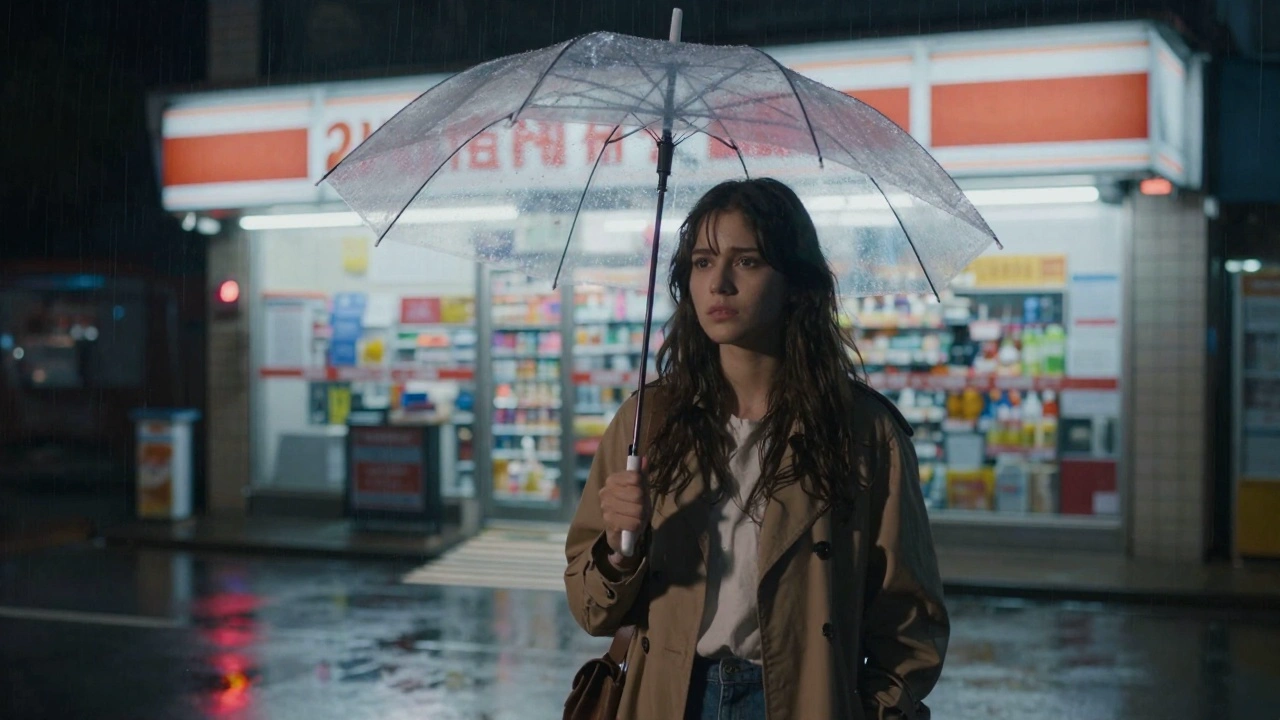
A 19-year-old girl with paint-stained fingers and a overstuffed backpack rides the Trans-Siberian Railway alone through a blizzard, sketchbook open on her lap. Shot 1: Close-up — her pencil moves furiously across the page, drawing the frozen birch forest blurring past the window, breath fogging the glass beside her face. Shot 2: Wide shot — the train car is nearly empty, a single dim overhead light swaying, snow pressing against every window, she is the only thing warm and alive in the frame. Shot 3: Medium shot — an elderly Russian man across the aisle silently sets a cup of tea on her table without a word and returns to his seat; she looks up, stunned. Shot 4: Close-up on the sketchbook — the drawing is extraordinary, hyperdetailed, and in the corner she has written in tiny letters: day 4. still not scared. Shot 5: She presses her forehead against the cold window, eyes wide open, watching the endless white world fly past — and very slowly, she begins to smile. Quiet and immense, the film captures the exact feeling of being 19 and choosing the world over safety.
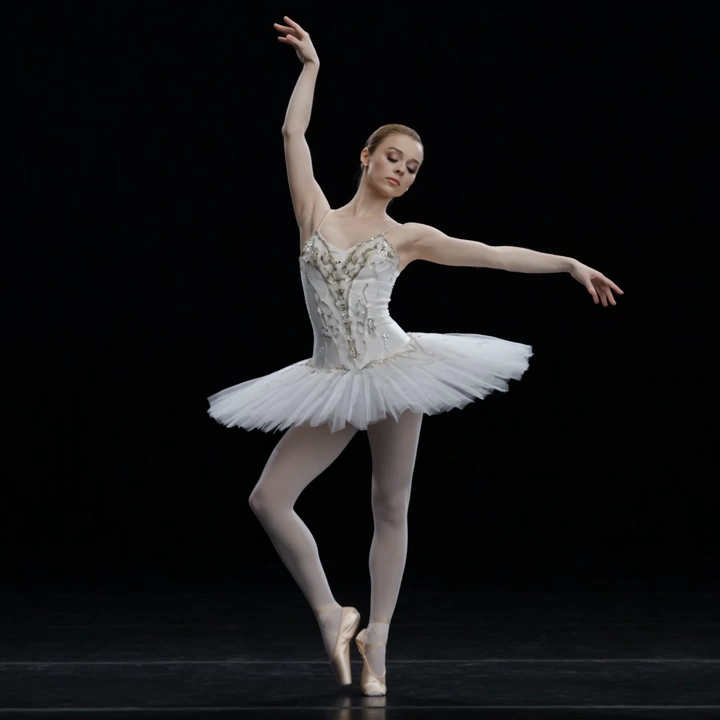
An extremely frail elderly ballerina, 80s, in a tattered tutu, performs alone on an abandoned theater stage lit only by a single spotlight. Shot 1: Close-up on her gnarled, arthritic feet slowly sliding into first position on the dusty stage floor, the sound of creaking wood beneath her. Shot 2: Wide shot — she raises her arms overhead with trembling elegance, spine straightening inch by inch, the empty velvet seats stretching into darkness behind her. Shot 3: Medium shot — she begins to turn, slowly at first, then faster, her tutu catching the light, dust swirling around her ankles like smoke. Shot 4: Low-angle shot — she launches into a grand jeté, body suspended impossibly in the air for a breathless moment, face locked in pure, fierce concentration. Shot 5: She lands, staggers one step, then stands perfectly still — chest heaving, tears streaming silently — and takes a deep, solitary bow to no one. The mood is bittersweet and haunting, soaked in faded glory and unbroken love for a life lived in motion.
Related Models




README
Seedance 2.0 Fast Text-to-Video
Seedance 2.0 Fast is the speed-optimized version of Seed's latest video generation model. The Text-to-Video mode generates cinematic videos from text prompts with native audio synchronization — faster and at 33% lower cost than the standard version, ideal for rapid iteration and high-volume production.
Key Features
-
Speed-optimized generation Faster processing for quick turnaround on video projects, perfect for iteration and prototyping.
-
33% lower cost $0.80 per 5 seconds vs $1.20 for the standard version — ideal for high-volume production.
-
Unified multimodal architecture Same Seedance 2.0 foundation handling text, image, audio, and video inputs.
-
Native audio-visual synchronization Generates video with synchronized audio in a single pass.
-
Director-level control Camera movement, lighting, shadows, and character performance controlled through prompts.
-
Strong motion stability Coherent motion with stable subjects and fluid transitions.
Parameters
| Parameter | Required | Description |
|---|---|---|
| prompt | Yes | Detailed description of the cinematic scene |
| aspect_ratio | No | Output format: 16:9 (default), 9:16, 4:3, 3:4, 1:1, 21:9 |
| duration | No | Video length in seconds: 4-15 (default: 5) |
| resolution | No | Output resolution: 480p, 720p (default), or 1080p |
| reference_images | No | Reference image URLs to guide style, characters, or composition |
| reference_videos | No | Reference video URLs (total length must not exceed 15 seconds) |
| reference_audios | No | Reference audio URLs (total length must not exceed 15 seconds) |
How to Use
- Write your prompt — describe the scene with cinematic detail.
- Select aspect ratio — 16:9 for widescreen, 9:16 for vertical, 4:3 or 3:4 for classic formats.
- Set duration — choose any duration from 4 to 15 seconds.
- Optionally add references — provide reference images, videos, or audios for style guidance.
- Run — submit and download your video.
Pricing
Without Reference Videos
Billed per 5-second block of output duration.
| Resolution | Duration | Cost |
|---|---|---|
| 480p | 5 s | $0.50 |
| 480p | 10 s | $1.00 |
| 480p | 15 s | $1.50 |
| 720p | 5 s | $1.00 |
| 720p | 10 s | $2.00 |
| 720p | 15 s | $3.00 |
| 1080p | 5 s | $2.50 |
| 1080p | 10 s | $5.00 |
| 1080p | 15 s | $7.50 |
With Reference Videos
When reference_videos are provided, billing follows the same scheme as Seedance 2.0 Fast Video-Edit: billed per second across input duration + output duration, where input duration is the total length of the supplied reference videos clamped to the 2-15 s range.
| Resolution | Per second |
|---|---|
| 480p | $0.065 |
| 720p | $0.13 |
| 1080p | $0.325 |
Examples (reference videos totaling 5 s, output 5 s = 10 billed seconds):
| Resolution | Cost |
|---|---|
| 480p | $0.65 |
| 720p | $1.30 |
| 1080p | $3.25 |
Billing Rules
- Without reference videos: $0.50 per 5 seconds at 480p, scaled by resolution.
- With reference videos: per-second billing matching Seedance 2.0 Fast Video-Edit, using the total reference-video duration as input (clamped 2-15 s) plus the output duration.
- 720p: 2x the 480p price.
- 1080p: 5x the 480p price (2.5x the 720p price).
- Duration range: 4-15 seconds (continuous).
Best Use Cases
- Rapid Prototyping — Quickly iterate on concepts before committing to the standard version.
- High-Volume Production — Cost-effective generation for large content libraries.
- Social Media Content — Fast turnaround for short-form video needs.
- A/B Testing — Generate multiple variations efficiently to find the best creative direction.
Pro Tips
- Use Fast for iteration and testing, switch to standard Seedance 2.0 for final quality.
- Write prompts like a film director — include lighting, camera angles, and mood.
- Start with 5s to iterate, then extend once the look is right.
Notes
- Native audio generation included.
- Duration range: 4-15 seconds (continuous).
- For highest quality output, consider the standard Seedance 2.0.
Related Models
- Seedance 2.0 Text-to-Video — Standard version with highest quality.
- Seedance 2.0 Fast Image-to-Video — Fast image-guided video generation.
- Seedance 2.0 Image-to-Video — Standard image-guided video generation.
Seedance 2.0 Fast Text To Video API — Quick start
Grab a WaveSpeedAI API key, then call POST https://api.wavespeed.ai/api/v3/bytedance/seedance-2.0-fast/text-to-video with your input as JSON. The endpoint returns a prediction id. Start polling the result endpoint around every 2 seconds, increase the interval for long-running tasks, and stop on any terminal status. On completed, read output values from data.outputs. Examples for Seedance 2.0 Fast Text To Video below.
HTTP example
set -euo pipefail

: "${WAVESPEED_API_KEY:?Set WAVESPEED_API_KEY}"

REQUEST_BODY=$(cat <<'JSON'
{
    "prompt": "A cinematic shot of a city at sunset, soft golden light",
    "aspect_ratio": "16:9",
    "resolution": "720p",
    "duration": 5,
    "enable_web_search": false,
    "generate_audio": true
}
JSON
)

# 1. Submit the prediction.
SUBMIT_RESPONSE=$(curl --silent --show-error --fail-with-body \
  -X POST "https://api.wavespeed.ai/api/v3/bytedance/seedance-2.0-fast/text-to-video" \
  -H "Content-Type: application/json" \
  -H "Authorization: Bearer $WAVESPEED_API_KEY" \
  -d "$REQUEST_BODY")

TASK=$(printf '%s' "$SUBMIT_RESPONSE" | jq 'if has("data") then .data else . end')
PREDICTION_ID=$(printf '%s' "$TASK" | jq -r '.id')
if [ -z "$PREDICTION_ID" ] || [ "$PREDICTION_ID" = "null" ]; then
  printf 'Submission response did not contain a prediction id
' >&2
  exit 1
fi
RESULT_URL=$(printf '%s' "$TASK" | jq -r '.urls.get // empty')
if [ -z "$RESULT_URL" ]; then
  RESULT_URL="https://api.wavespeed.ai/api/v3/predictions/$PREDICTION_ID/result"
fi

# 2. Poll until the prediction finishes.
while true; do
  RESPONSE=$(curl --silent --show-error --fail-with-body "$RESULT_URL" \
    -H "Authorization: Bearer $WAVESPEED_API_KEY")
  RESULT=$(printf '%s' "$RESPONSE" | jq 'if has("data") then .data else . end')
  STATUS=$(printf '%s' "$RESULT" | jq -r '.status')
  case "$STATUS" in
    completed) printf '%s\n' "$RESULT" | jq '.outputs'; break ;;
    failed|cancelled|timeout) printf '%s\n' "$RESULT" | jq . >&2; exit 1 ;;
    created|processing) sleep 2 ;;
    *) printf 'Unexpected status: %s
' "$STATUS" >&2; exit 1 ;;
  esac
done
Node.js example
const submitUrl = "https://api.wavespeed.ai/api/v3/bytedance/seedance-2.0-fast/text-to-video";
const apiKey = process.env.WAVESPEED_API_KEY;
if (!apiKey) throw new Error('Set WAVESPEED_API_KEY');

async function requestJson(url, options = {}) {
  const response = await fetch(url, options);
  if (!response.ok) throw new Error(await response.text());
  return response.json();
}

// 1. Submit the prediction.
const body = await requestJson(submitUrl, {
  method: "POST",
  headers: {
    "Authorization": `Bearer ${apiKey}`,
    "Content-Type": "application/json",
  },
  body: JSON.stringify({
        "prompt": "A cinematic shot of a city at sunset, soft golden light",
        "aspect_ratio": "16:9",
        "resolution": "720p",
        "duration": 5,
        "enable_web_search": false,
        "generate_audio": true
}),
});
const task = body.data ?? body;
if (!task.id) throw new Error("Submission response did not contain a prediction id");
const resultUrl = task.urls?.get ||
  `https://api.wavespeed.ai/api/v3/predictions/${task.id}/result`;

// 2. Poll until the prediction finishes.
while (true) {
  const resultBody = await requestJson(resultUrl, {
    headers: { "Authorization": `Bearer ${apiKey}` },
  });
  const result = resultBody.data ?? resultBody;
  if (result.status === "completed") {
    console.log(result.outputs);
    break;
  }
  if (["failed", "cancelled", "timeout"].includes(result.status)) throw new Error(JSON.stringify(result));
  if (!["created", "processing"].includes(result.status)) throw new Error("Unexpected status: " + result.status);
  await new Promise(resolve => setTimeout(resolve, 2000));
}
Python example
import json
import os
import time
from urllib.request import Request, urlopen

api_key = os.environ["WAVESPEED_API_KEY"]
headers = {"Authorization": f"Bearer {api_key}", "Content-Type": "application/json"}
payload = {
    "prompt": "A cinematic shot of a city at sunset, soft golden light",
    "aspect_ratio": "16:9",
    "resolution": "720p",
    "duration": 5,
    "enable_web_search": False,
    "generate_audio": True
}

def request_json(url, data=None):
    request = Request(url, data=data, headers=headers, method="POST" if data else "GET")
    with urlopen(request) as response:
        return json.load(response)

# 1. Submit the prediction.
body = request_json("https://api.wavespeed.ai/api/v3/bytedance/seedance-2.0-fast/text-to-video", json.dumps(payload).encode())
task = body.get("data", body)
if not task.get("id"):
    raise RuntimeError("Submission response did not contain a prediction id")
result_url = task.get("urls", {}).get("get") or f"https://api.wavespeed.ai/api/v3/predictions/{task['id']}/result"

# 2. Poll until the prediction finishes.
while True:
    result_body = request_json(result_url)
    result = result_body.get("data", result_body)
    status = result.get("status")
    if status == "completed":
        print(result.get("outputs", []))
        break
    if status in {"failed", "cancelled", "timeout"}:
        raise RuntimeError(result)
    if status not in {"created", "processing"}:
        raise RuntimeError(f"Unexpected status: {status}")
    time.sleep(2)
Seedance 2.0 Fast Text To Video API — Frequently asked questions
What is the Seedance 2.0 Fast Text To Video API?
Seedance 2.0 Fast Text To Video is a ByteDance model for video generation, exposed as a REST API on WaveSpeedAI. Seedance 2.0 Fast (Text-to-Video) generates cinematic videos from text prompts with native audio-visual synchronization, director-level camera and lighting control, and exceptional motion stability — optimized for faster generation at lower cost. Built on Seed's unified multimodal architecture. You can call it programmatically or try it from the playground above.
How do I call the Seedance 2.0 Fast Text To Video API?
POST your input parameters to the model's REST endpoint (shown in the API tab of this playground) with your WaveSpeedAI API key in the Authorization header. Submission returns a prediction ID. Poll the result endpoint starting around every 2 seconds, increase the interval for long-running tasks, and stop on any terminal status. The playground generates production-oriented Python, JavaScript, and cURL examples with timeouts, transient-error handling, and safe GET retries. Full request/response shape is documented at https://wavespeed.ai/docs/docs-api/bytedance/bytedance-seedance-2.0-fast-text-to-video.
How much does Seedance 2.0 Fast Text To Video cost per run?
Seedance 2.0 Fast Text To Video starts at $0.50 per run. That figure is the base price — the final charge scales with the parameters you set in the form (output size, length, count, references, or whatever knobs this model exposes), so a higher-quality or larger output costs more than a minimal one. The exact cost for your current input is shown live next to the Generate button before you submit, and the actual per-call charge is recorded on the prediction afterwards.
What inputs does Seedance 2.0 Fast Text To Video accept?
Key inputs: `prompt`, `aspect_ratio`, `resolution`, `duration`, `reference_images`, `enable_web_search`. The full JSON schema (types, defaults, allowed values) is rendered above the Generate button and mirrored in the API reference at https://wavespeed.ai/docs/docs-api/bytedance/bytedance-seedance-2.0-fast-text-to-video.
How do I get started with the Seedance 2.0 Fast Text To Video API?
Sign up for a free WaveSpeedAI account to claim starter credits, copy your API key from /accesskey, then call the endpoint shown in the API tab of the playground. The playground also auto-generates a code sample in Python, JavaScript, or cURL for the parameters you've set.
Can I use Seedance 2.0 Fast Text To Video outputs commercially?
Commercial usage rights depend on the model's license, set by its provider (ByteDance). The license summary appears on the model card above; see WaveSpeedAI's Terms of Service for platform-level conditions.